5.4.8 Robot Parking Space Search
Overview
The parking space search control App guides the robot to a parking space using a parking space detection algorithm, including left/right rotation and forward/backward translation. The App consists of MIPI image capture, parking space detection algorithm, parking space search control strategy, image encoding/decoding, and a Web display client. The workflow is shown below:
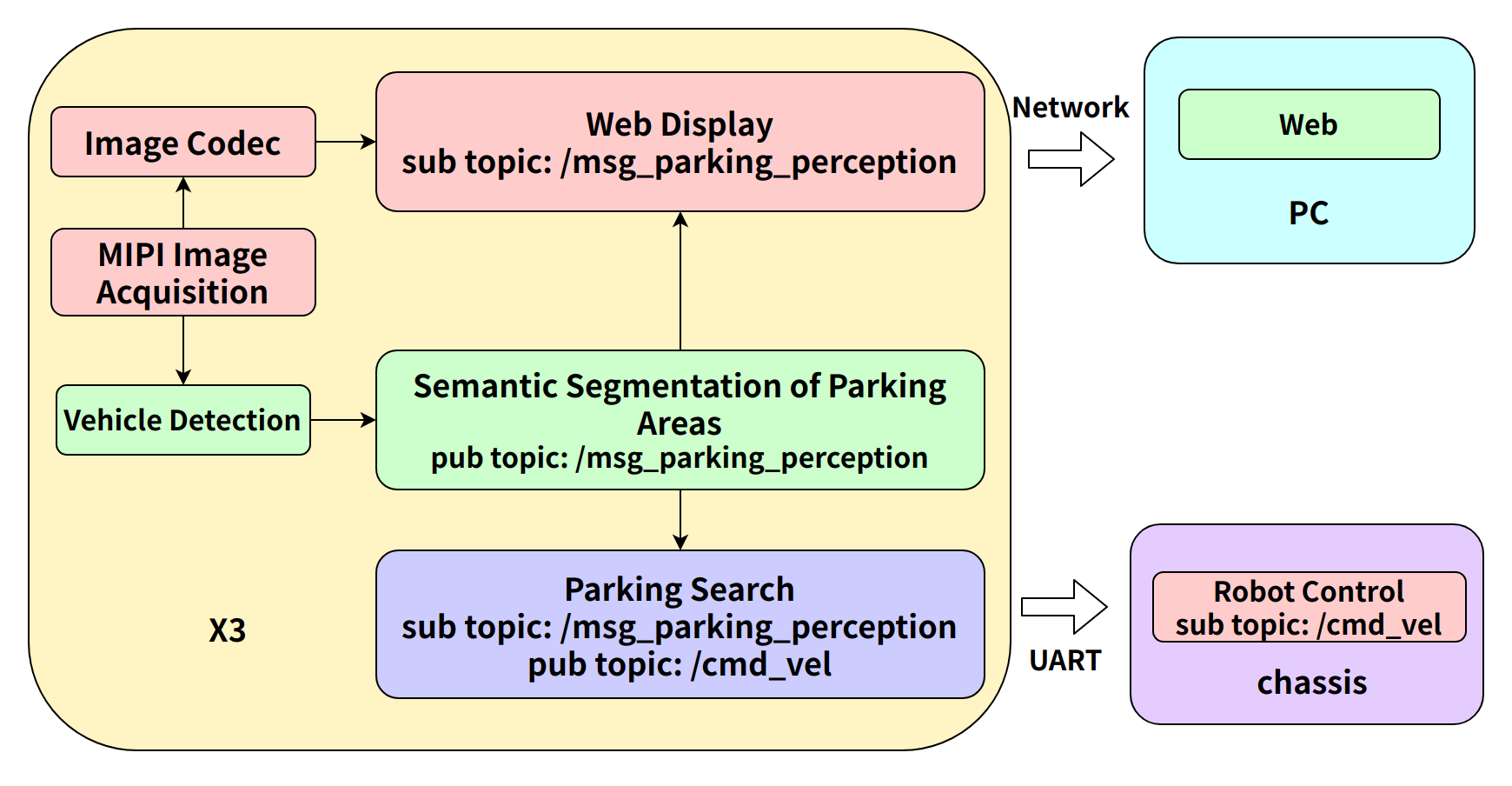
The App directly controls a physical robot using control commands published by the parking space search control strategy. It can also be tested using a virtual robot in the PC-side Gazebo simulation environment.
Code repository: (https://github.com/D-Robotics/parking_search.git)
Supported Platforms
| Platform | Runtime Environment | Example Functionality |
|---|---|---|
| RDK X3, RDK X3 Module | Ubuntu 20.04 (Foxy), Ubuntu 22.04 (Humble) | Start MIPI/USB camera to capture images, perform parking area detection and parking space search, and display search results via physical robot movement |
Design Description
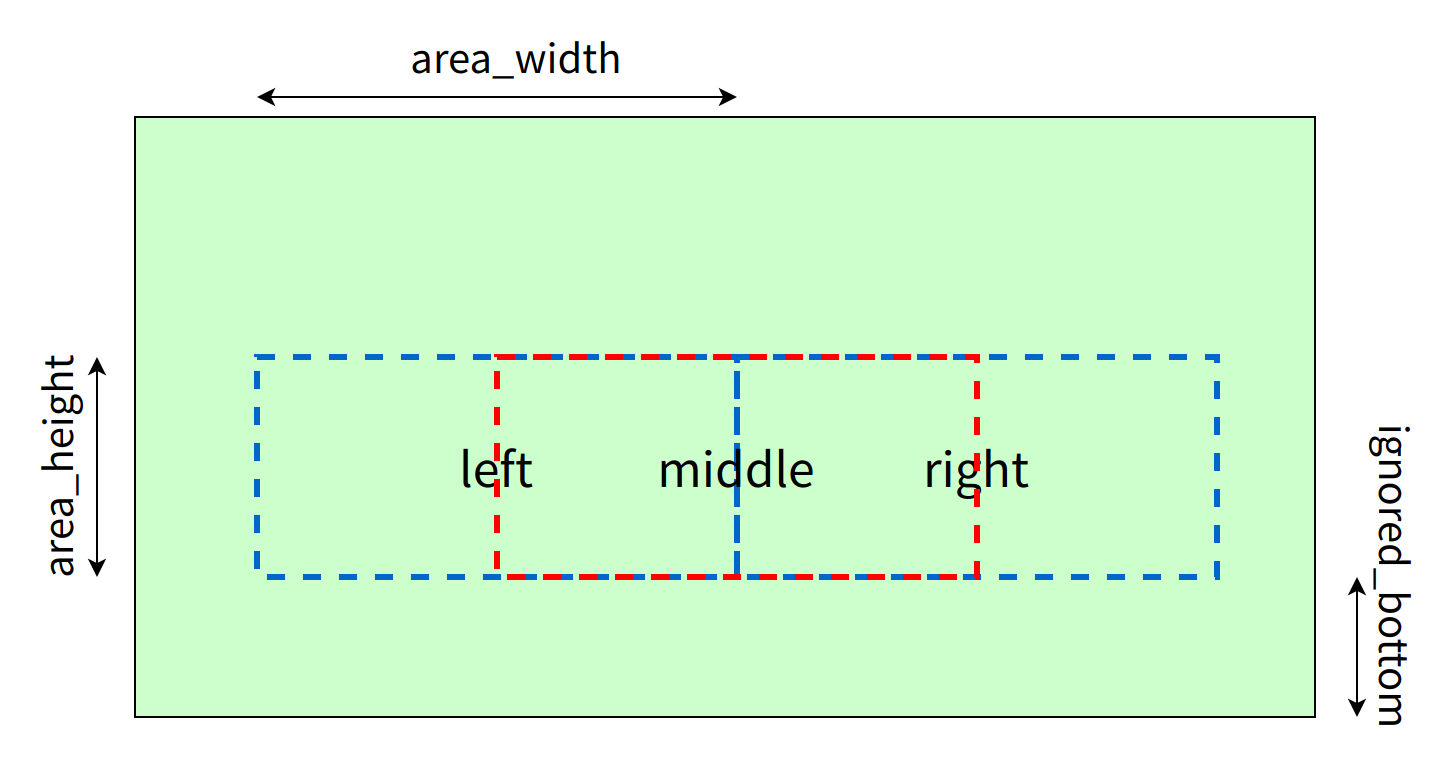
- Field of view settings:
The field of view is divided into three regions: "left", "center", and "right". Calculate the IOU of parking areas and driving areas in each region, determine the corresponding region type based on thresholds, and complete robot movement decisions.
- Threshold settings:
| Field of View Region | Left | Center | Right |
|---|---|---|---|
| Parking Area IOU | 0.6 | 0.7 | 0.6 |
| Driving Area IOU | 0.8 | 0.9 | 0.8 |
- Category settings:
| Field of View Region | Road | Background | Lane Line | Marking Line | Parking Space Line | Parking Area | Parking Barrier | Ground Lock |
|---|---|---|---|---|---|---|---|---|
| Parking Area IOU | √ | √ | ||||||
| Driving Area IOU | √ | √ | √ | √ | √ |
Note: In actual detection, since the algorithm detection accuracy cannot reach 100%, there are cases where driving areas are misdetected as parking areas. Therefore, parking area categories are included when calculating driving areas.
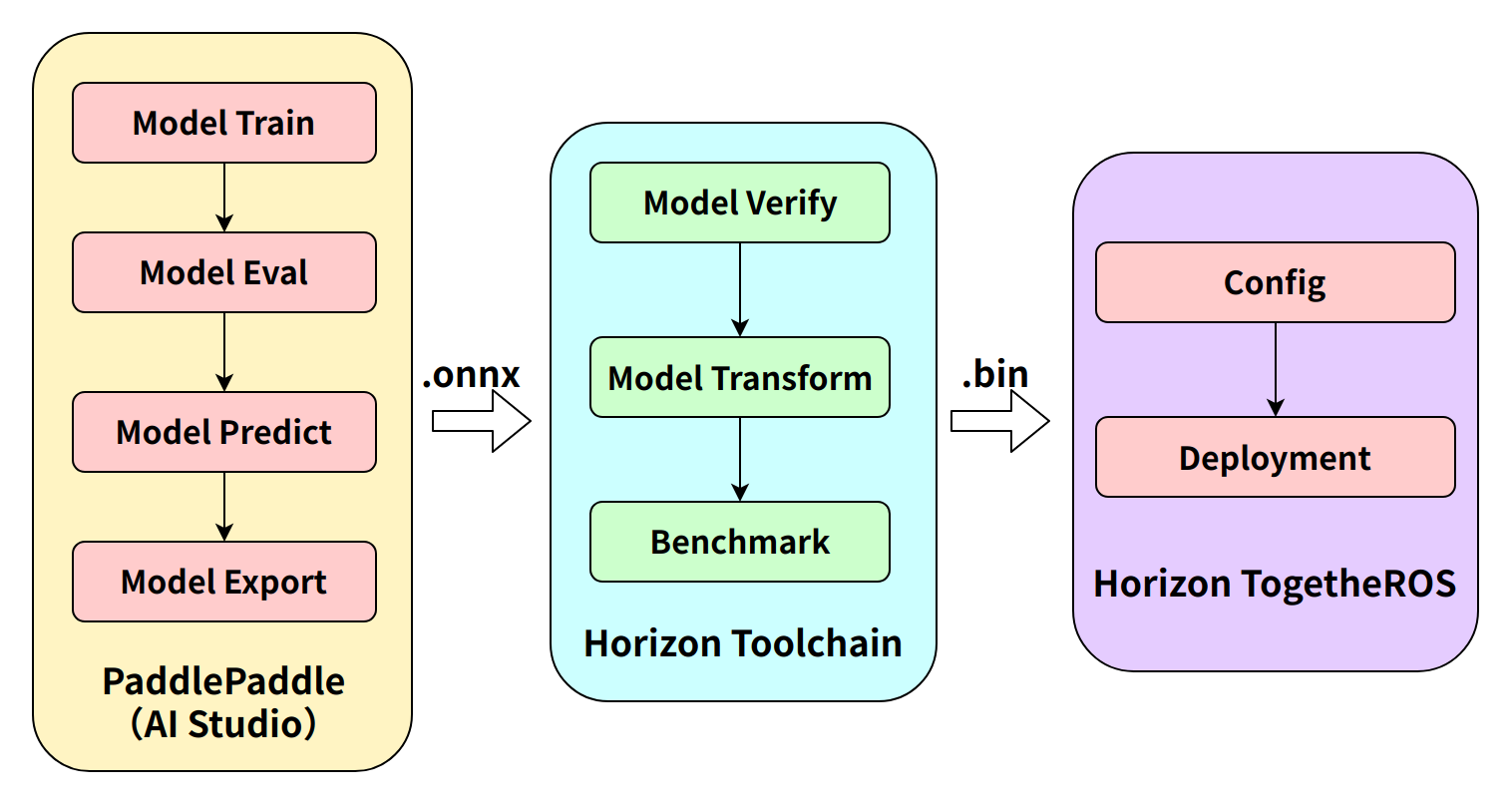
- Algorithm workflow:
Preparation
RDK Platform
-
The RDK has been flashed with the Ubuntu system image.
-
TogetheROS.Bot has been successfully installed on the RDK.
-
A MIPI or USB camera has been installed on the RDK.
-
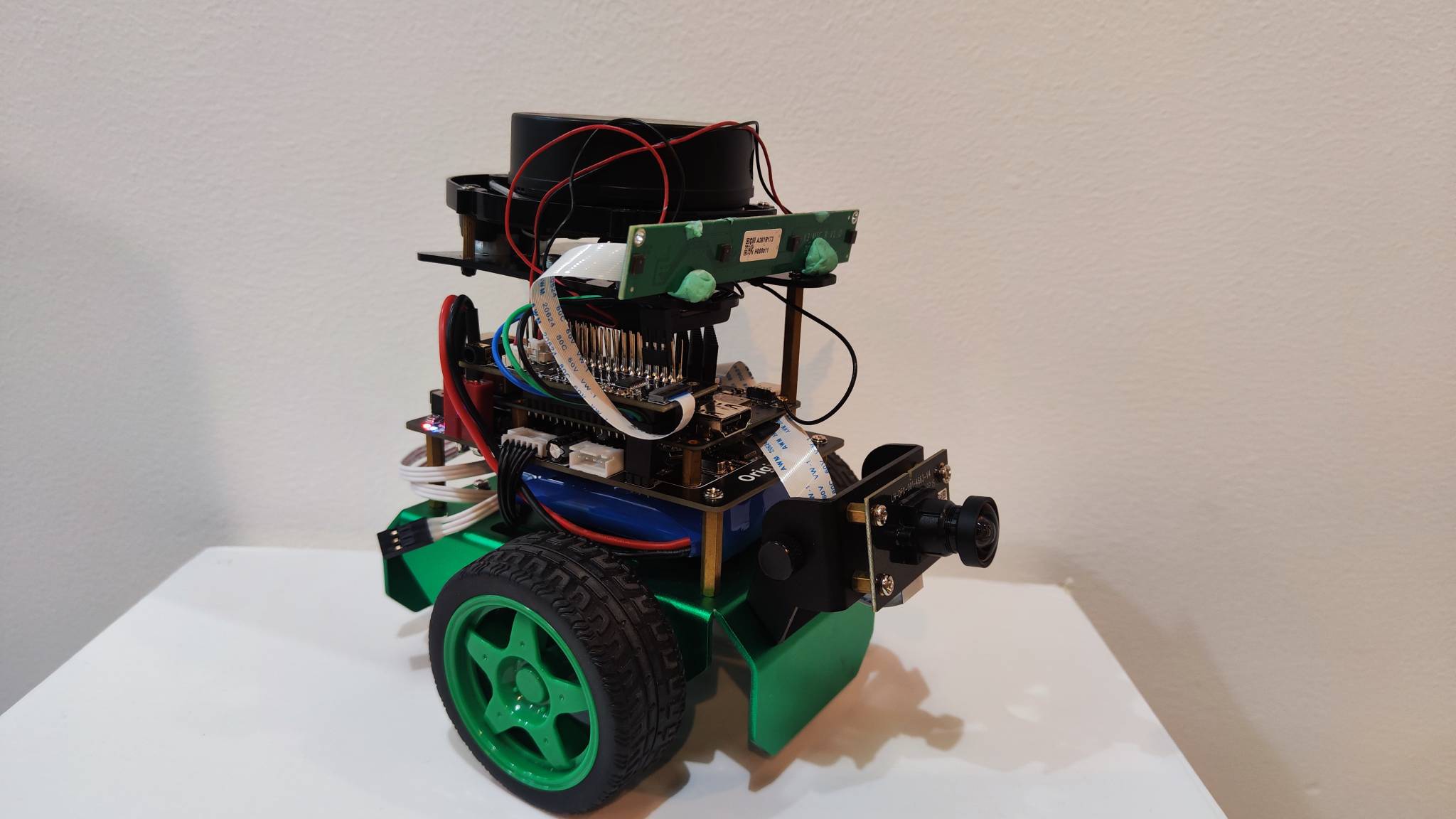
An OriginBot robot as the control lower-level device.
Usage
RDK Platform
Place the robot on a level surface, adjust the camera angle to horizontal. After running the parking space search App, the robot automatically makes decisions based on parking area detection algorithm results and controls robot movement until it finds a parking space, enters it, and stops.
After the App starts, images published by the sensor and corresponding algorithm results can be rendered and displayed in a PC browser (enter http://IP:8000 in the browser, where IP is the RDK's IP address).
To open the Web client, open the settings in the upper right corner of the interface and select the "Full Image Segmentation" option to display the rendering effect. (Refer to section 4.2 Boxs Application Algorithm — Outdoor Parking Area Detection)
Start the OriginBot robot and run the control lower-level node on the RDK:
- Foxy
- Humble
source /opt/tros/setup.bash
source /userdata/originbot/local_setup.bash
ros2 run originbot_base originbot_base
source /opt/tros/humle/setup.bash
source /userdata/originbot/local_setup.bash
ros2 run originbot_base originbot_base
After successful startup, the RDK outputs the following log information:
Loading parameters:
 - port name: ttyS3
 - correct factor vx: 1.0000
 - correct factor vth: 1.000000
[INFO] [1662551769.540781132] [originbot_base]: originbot serial port opened
[INFO] [1662551769.741758424] [originbot_base]: IMU calibration ok.
[INFO] [1662551769.742268424] [originbot_base]: OriginBot Start, enjoy it.
Publish images using MIPI camera
- Foxy
- Humble
# 配置tros.b环境
source /opt/tros/setup.bash
# 配置tros.b环境
source /opt/tros/humble/setup.bash
# 从tros.b的安装路径中拷贝出运行示例需要的配置文件。
cp -r /opt/tros/${TROS_DISTRO}/lib/parking_perception/config/ .

# 配置MIPI摄像头
export CAM_TYPE=mipi

# 启动launch文件
ros2 launch parking_search parking_search.launch.py
Publish images using USB camera
- Foxy
- Humble
# 配置tros.b环境
source /opt/tros/setup.bash
# 配置tros.b环境
source /opt/tros/humble/setup.bash
# 从tros.b的安装路径中拷贝出运行示例需要的配置文件。
cp -r /opt/tros/${TROS_DISTRO}/lib/parking_perception/config/ .

# 配置USB摄像头
export CAM_TYPE=usb

# 启动launch文件
ros2 launch parking_search parking_search.launch.py
Result Analysis
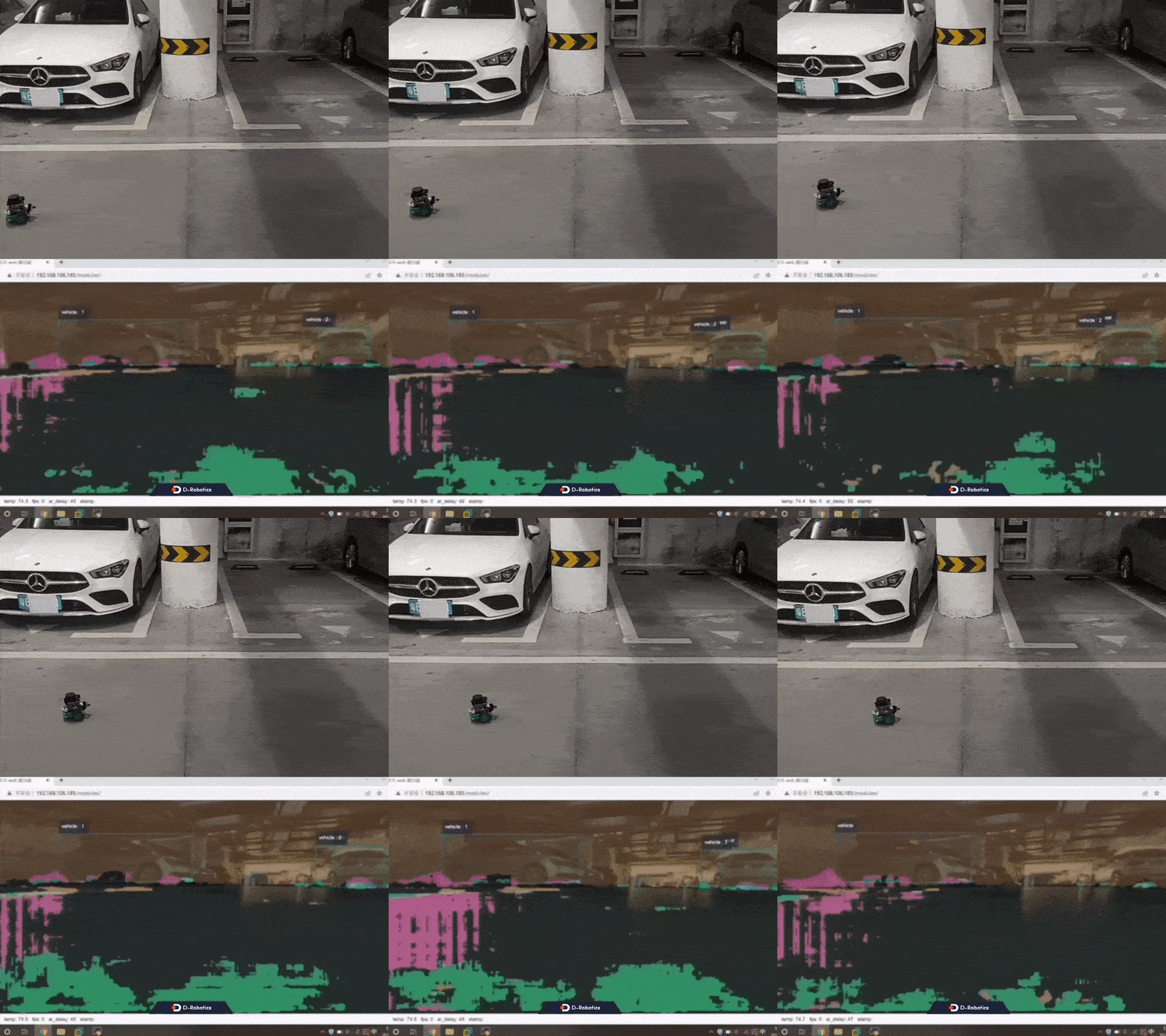
- When the robot searches forward in the driving area, the RDK terminal outputs log information, including control of the robot to move forward at 0.1 m/s (do move, direction: 0, step: 0.100000).
[parking_search-4] [WARN] [1661942399.306904646] [ParkingSearchEngine]: do move, direction: 0, step: 0.100000
[parking_search-4] [WARN] [1661942399.343490021] [ParkingSearchEngine]: do move, direction: 0, step: 0.100000
[parking_perception-3] [WARN] [1661942399.347396979] [parking_perception]: input fps: 29.97, out fps: 29.67
[parking_search-4] [WARN] [1661942399.410602188] [ParkingSearchEngine]: do move, direction: 0, step: 0.100000
[parking_search-4] [WARN] [1661942399.449585563] [ParkingSearchEngine]: do move, direction: 0, step: 0.100000
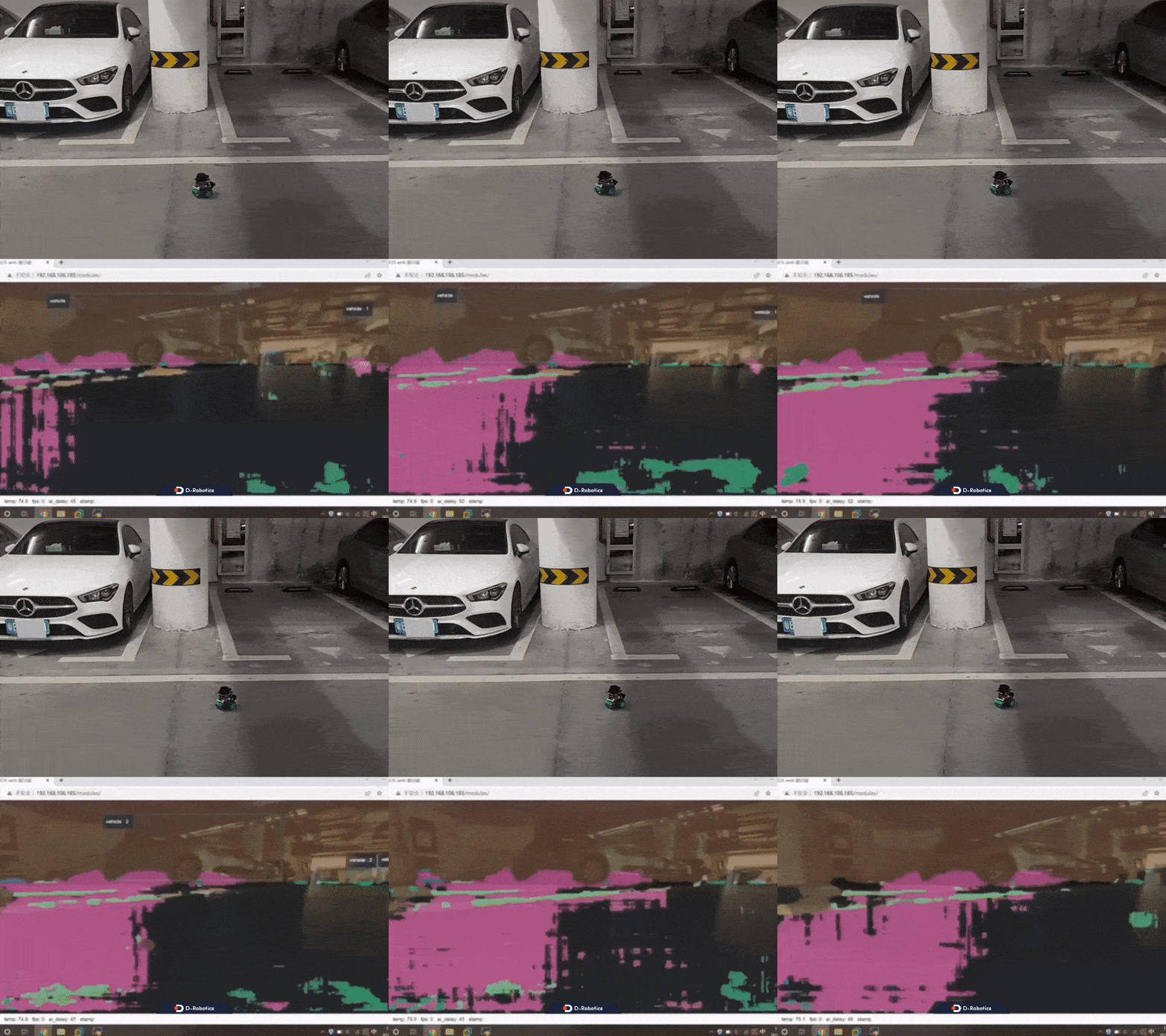
- When the robot turns after detecting a parking space, the RDK terminal outputs log information:
[parking_search-4] [WARN] [1662539779.408424498] [ParkingSearchEngine]: do rotate, direction: 2, step: 0.100000
[parking_search-4] [WARN] [1662539779.442805415] [ParkingSearchEngine]: do rotate, direction: 2, step: 0.100000
[parking_search-4] [WARN] [1662539779.483669831] [ParkingSearchEngine]: do rotate, direction: 2, step: 0.100000
[parking_search-4] [WARN] [1662539779.522690915] [ParkingSearchEngine]: do rotate, direction: 2, step: 0.100000
[parking_search-4] [WARN] [1662539779.563660873] [ParkingSearchEngine]: do rotate, direction: 2, step: 0.100000
[parking_perception-3] [WARN] [1662539779.595755290] [parking_perception]: input fps: 29.87, out fps: 29.63
[parking_search-4] [WARN] [1662539779.604272498] [ParkingSearchEngine]: do rotate, direction: 2, step: 0.100000
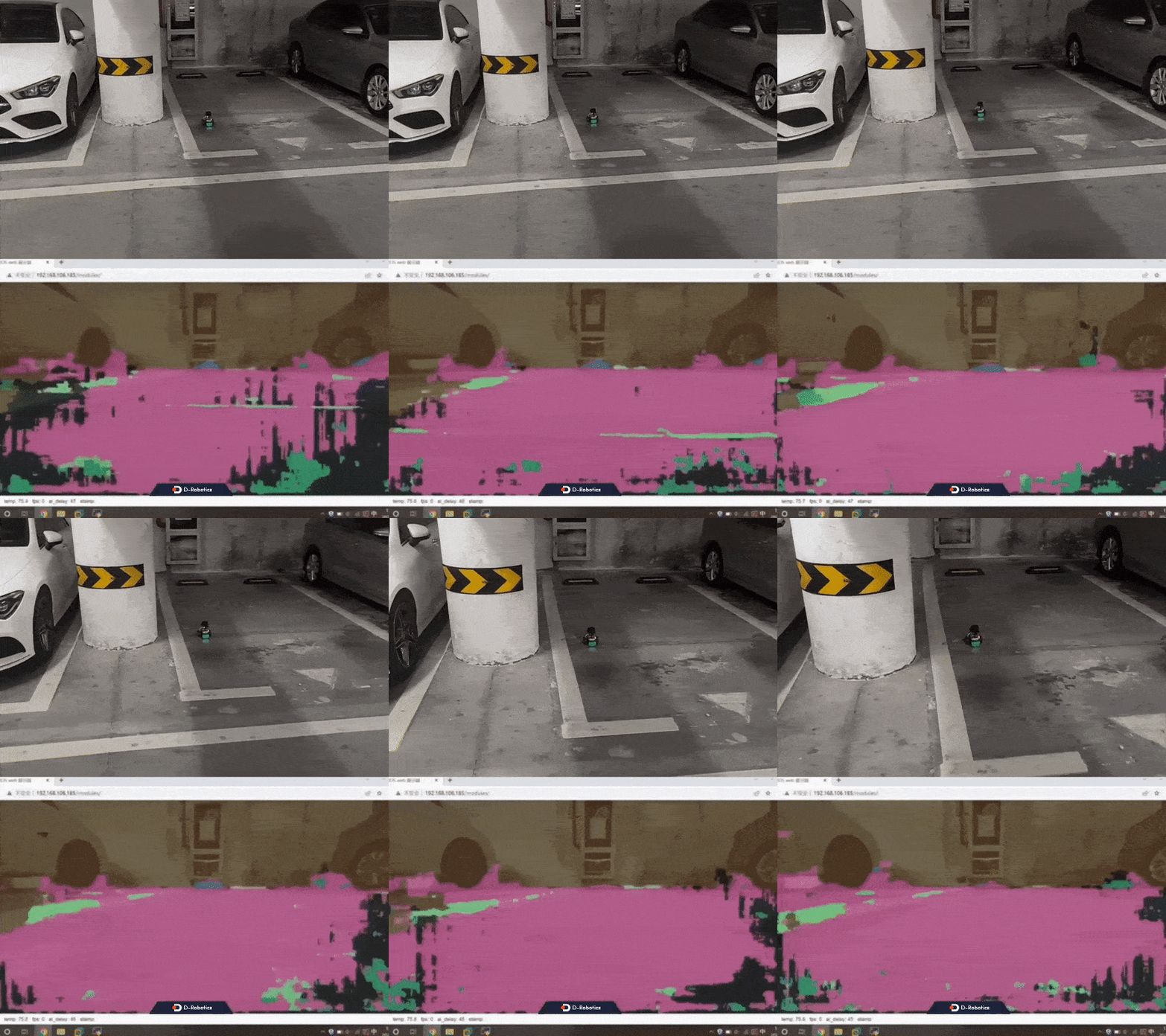
- When the robot confirms the parking space, moves forward, and finally stops, the RDK terminal outputs log information:
[parking_search-4] [WARN] [1662539796.196264298] [ParkingSearchEngine]: do move, direction: 0, step: 0.100000
[parking_search-4] [WARN] [1662539796.227805589] [ParkingSearchEngine]: Find Target, current count: 398, target count: 400
[parking_search-4] [WARN] [1662539796.267424798] [ParkingSearchEngine]: do move, direction: 0, step: 0.100000
[parking_search-4] [WARN] [1662539796.317332964] [ParkingSearchEngine]: Find Target, current count: 399, target count: 400
[parking_search-4] [WARN] [1662539796.346787673] [ParkingSearchEngine]: do move, direction: 0, step: 0.100000
[parking_search-4] [WARN] [1662539796.386203756] [ParkingSearchEngine]: Find Target, current count: 400, target count: 400
[parking_perception-3] [WARN] [1662539796.428427089] [ParkingSearchEngine]: input fps: 29.90, out fps: 29.74
[parking_search-4] [WARN] [1662539796.465178589] [ParkingSearchEngine]: Parking Area Arrived !!!
[parking_search-4] [WARN] [1662539796.506218048] [ParkingSearchEngine]: Parking Area Arrived !!!
[parking_search-4] [WARN] [1662539796.547036881] [ParkingSearchEngine]: Parking Area Arrived !!!
Use the ros2 topic list command on the PC terminal to query RDK topic information:
$ ros2 topic list
/ai_msg_parking_perception
/cmd_vel
/hbmem_img080a1b02022201080403012021072312
/image
/imu
/odom
/originbot_status
/parameter_events
/rosout
/tf
/image_jpeg is the JPEG-encoded image published by the RDK after capturing from the MIPI sensor. /ai_msg_parking_perception is the algorithm message published by the RDK containing parking space detection information. /cmd_vel is the motion control command published by the RDK.