5.1.4 Run "Hello World"
Prerequisite: TogetheROS.Bot has been successfully installed via DEB package or source code installation.
Start two terminals, both ssh logged into the RDK or X86 platform device.
- Foxy
- Humble
- Jazzy
Run in the first terminal
source /opt/tros/setup.bash
ros2 run examples_rclcpp_minimal_subscriber subscriber_member_function
Run in the second terminal
source /opt/tros/setup.bash
ros2 run examples_rclcpp_minimal_publisher publisher_member_function
Install the package corresponding to the Hello World example:
sudo apt update
sudo apt install ros-humble-examples-rclcpp-minimal-publisher ros-humble-examples-rclcpp-minimal-subscriber
If the sudo apt update command fails or reports an error, please refer to the FAQ section Q10: How to handle apt update command failure or error? for resolution.
Run in the first terminal
source /opt/tros/humble/setup.bash
ros2 run examples_rclcpp_minimal_subscriber subscriber_member_function
Run in the second terminal
source /opt/tros/humble/setup.bash
ros2 run examples_rclcpp_minimal_publisher publisher_member_function
Install the package corresponding to the Hello World example:
sudo apt update
sudo apt install ros-jazzy-examples-rclcpp-minimal-publisher ros-jazzy-examples-rclcpp-minimal-subscriber
If the sudo apt update command fails or reports an error, please refer to the FAQ section Q10: How to handle apt update command failure or error? for resolution.
Run in the first terminal
source /opt/tros/jazzy/setup.bash
ros2 run examples_rclcpp_minimal_subscriber subscriber_member_function
Run in the second terminal
source /opt/tros/jazzy/setup.bash
ros2 run examples_rclcpp_minimal_publisher publisher_member_function
The running effect is shown below
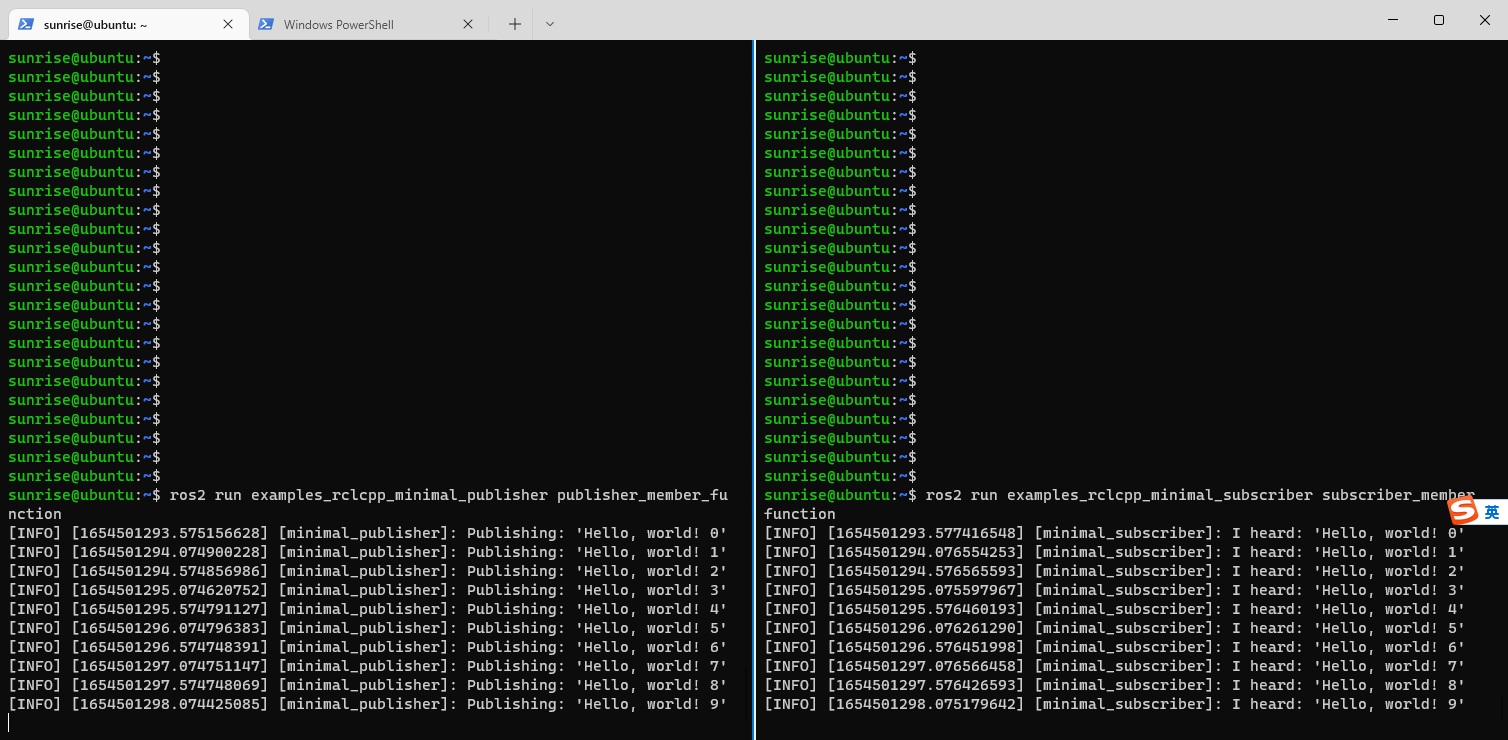 You can see the left terminal acts as pub, continuously sending "'Hello, world! N", and the right terminal acts as sub, continuously receiving "'Hello, world! N"
OK, tros.b has been successfully installed and verified!