Introduction to the vio_capture Example
Example Overview
vio_capture is a C language development code example located in /app/cdev_demo.
This example is used to capture YUV format images and RAW data from a camera and save them as local files.
Effect Demonstration
We execute this example using VSCode to observe the images captured by the camera.

The captured images are checked using yuvplayer to see if they meet our expectations.
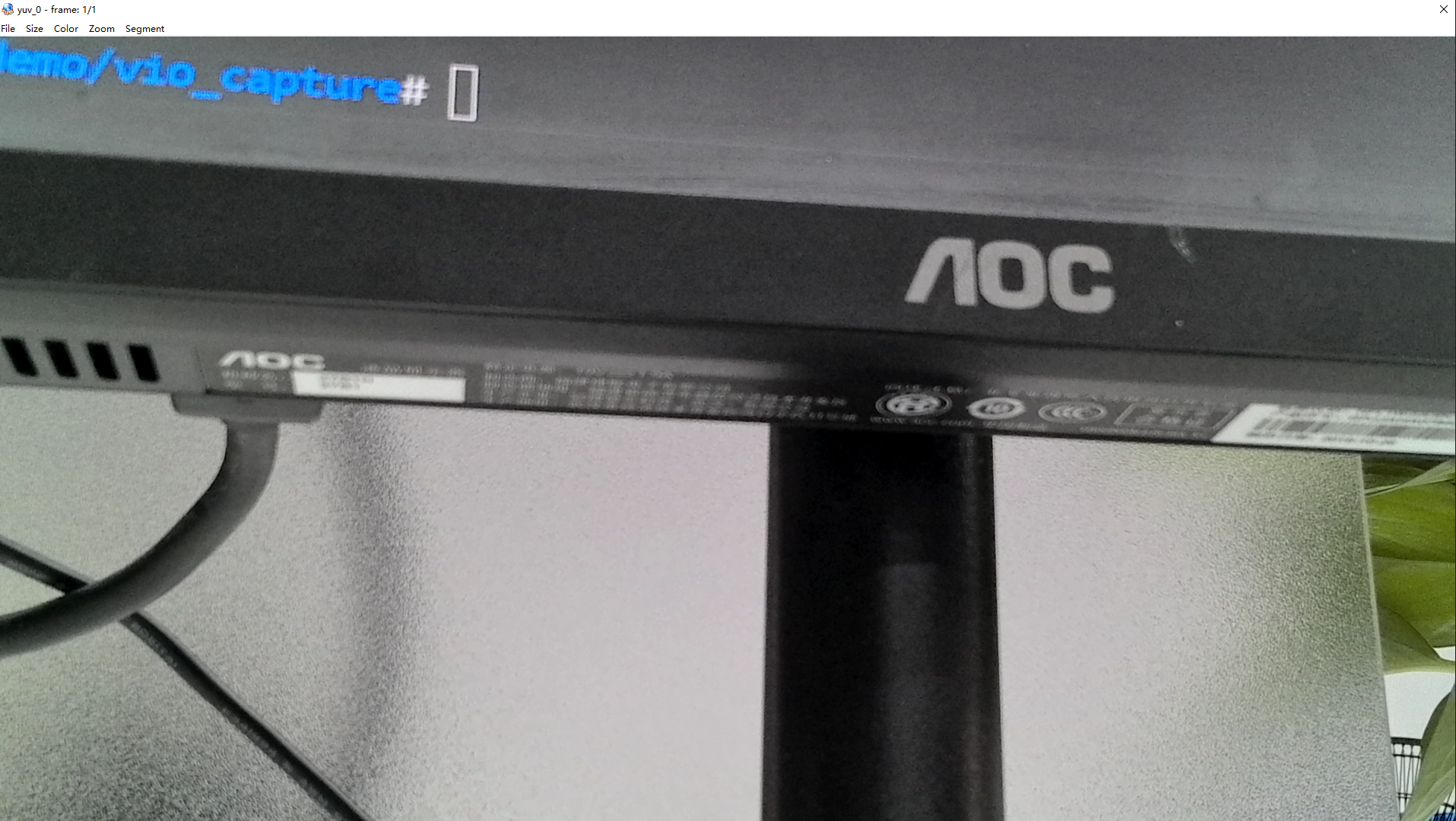
Hardware Preparation
Hardware Connections
This example does not require a mouse or keyboard, so we connect the camera, HDMI display, Ethernet cable, and power cable.

Quick Start
Code Location on the Board
root@ubuntu:/app/cdev_demo/vio_capture# tree
.
├── capture.c
└── Makefile
Compilation and Execution
We can directly use make in this directory to compile the capture executable.
root@ubuntu:/app/cdev_demo/vio_capture# tree
.
├── capture
├── capture.c
├── capture.o
└── Makefile
Execution Result
root@ubuntu:/app/cdev_demo/vio_capture# ./capture -b 16 -c 10 -h 1080 -w 1920
2000/01/01 08:32:50.675 !INFO [OpenCamera][0450]hbn module
set camera fps: -1,width: 1920,height: 1080
Camera 0:
        mipi_host: 0
Camera 1:
        mipi_host: 2
Camera 2:
        mipi_host: 0
Camera 3:
        mipi_host: 0
mipi mclk is not configed.
Searching camera sensor on device: /proc/device-tree/soc/cam/vcon@0 i2c bus: 6 mipi rx phy: 0
WARN: Sensor Name: sc1330t, Expected Chip ID: 0xCA18, Actual Chip ID Read: 0x00
WARN: Sensor Name: irs2875-tof, Expected Chip ID: 0x2875, Actual Chip ID Read: 0x00
WARN: Sensor Name: sc230ai-10fps, Expected Chip ID: 0xCB34, Actual Chip ID Read: 0x00
WARN: Sensor Name: sc230ai-30fps, Expected Chip ID: 0xCB34, Actual Chip ID Read: 0x00
WARN: Sensor Name: sc132gs-1280p, Expected Chip ID: 0x132, Actual Chip ID Read: 0x00
WARN: Sensor Name: sc035hgs, Expected Chip ID: 0x5A, Actual Chip ID Read: 0x00
WARN: Sensor Name: ov5640, Expected Chip ID: 0x5640, Actual Chip ID Read: 0x00
WARN: Sensor Name: f37, Expected Chip ID: 0xF37, Actual Chip ID Read: 0x00
WARN: Sensor Name: imx415-30fps-2lane, Expected Chip ID: 0x03, Actual Chip ID Read: 0x00
WARN: Sensor Name: imx415-30fps-4lane, Expected Chip ID: 0x03, Actual Chip ID Read: 0x00
WARN: Sensor Name: sc202cs-1600x1200, Expected Chip ID: 0xEB52, Actual Chip ID Read: 0x00
WARN: Sensor Name: irs2381c-tof, Expected Chip ID: 0x2381, Actual Chip ID Read: 0x00
[0] INFO: Found sensor name:imx219-1920x1080-30fps on mipi rx csi 0, i2c addr 0x10, config_file:linear_1920x1080_raw10_30fps_2lane.c
WARN: Sensor Name: ov5647-640x480-60fps, Expected Chip ID: 0x5647, Actual Chip ID Read: 0x00
WARN: Sensor Name: ov5647-1280x960-30fps, Expected Chip ID: 0x5647, Actual Chip ID Read: 0x00
WARN: Sensor Name: ov5647-1920x1080-30fps, Expected Chip ID: 0x5647, Actual Chip ID Read: 0x00
WARN: Sensor Name: ov5647-2592x1944-15fps, Expected Chip ID: 0x5647, Actual Chip ID Read: 0x00
WARN: Sensor Name: imx477-1280x960-120fps, Expected Chip ID: 0x477, Actual Chip ID Read: 0x00
WARN: Sensor Name: imx477-1920x1080-50fps, Expected Chip ID: 0x477, Actual Chip ID Read: 0x00
WARN: Sensor Name: imx477-2016x1520-40fps, Expected Chip ID: 0x477, Actual Chip ID Read: 0x00
WARN: Sensor Name: imx477-4000x3000-10fps, Expected Chip ID: 0x477, Actual Chip ID Read: 0x00
WARN: Sensor Name: sc035hgs-vc0, Expected Chip ID: 0x35, Actual Chip ID Read: 0x00
WARN: Sensor Name: sc035hgs-vc1, Expected Chip ID: 0x35, Actual Chip ID Read: 0x00
WARN: Sensor Name: sc231ai-30fps, Expected Chip ID: 0xCB6A, Actual Chip ID Read: 0x00
WARN: Sensor Name: imx586-30fps-4lane, Expected Chip ID: 0x586, Actual Chip ID Read: 0x00
WARN: Sensor Name: os08c10-30fps-2lane, Expected Chip ID: 0x53, Actual Chip ID Read: 0x00
2000/01/01 08:32:50.805 !INFO [CamInitParam][0326]Setting VSE channel-0: input_width:1920, input_height:1080, dst_w:1920, dst_h:1080
2000/01/01 08:32:50.805 !INFO [CamInitParam][0326]Setting VSE channel-1: input_width:1920, input_height:1080, dst_w:1920, dst_h:1080
2000/01/01 08:32:50.805 !INFO [vp_vin_init][0055]csi0 ignore mclk ex attr, because mclk is not configed at device tree.
================= VP Modules Status ====================
======================== VFLOW =========================
(active)[S0] vin0_C0*(dma)-m2m-isp0_C0-m2m-vse0_C0
========================= SIF ==========================
------------------- flow0 info -------------------
rx_index:0
vc_index:0
ipi_channels:1
width:1920
height:1080
format:0x2b
online_isp:1
ddr_en:0
bufnum:0
emb_en:0
embeded_dependence:0
embeded_width:0
embeded_height:0
size_err_cnt:1
========================= ISP ==========================
------------------- flow0 info -------------------
input_mode:2
sched_mode:0
tile_mode:0
af_mode:0
sensor_mode:0
input_width:1920
input_height:1080
input_format:1
input_bit_width:10
input_crop_x:0
input_crop_y:0
input_crop_w:1920
input_crop_h:1080
ddr_en:1
output_format:2
output_bit_width:8
========================= VSE ==========================
------------------- flow0 info -------------------
input_fps:0/0
input_width:1920
input_height:1080
input_format:2
input_bitwidth:8
dns0 channel: roi [0][0][1920][1080], target [1920][1080], fps [0/0]
dns1 channel: roi [0][0][1920][1080], target [1920][1080], fps [0/0]
========================= VENC =========================
========================= VDEC =========================
========================= JENC =========================
======================= Buffer =========================
----------------------------------------------
flowid module cid chn FREE  REQ  PRO  COM USED
----------------------------------------------
0      vin0   0   0     16    0    0    0    0
0      vin0   0   8      0    1    2    0    0

0      isp0   0   0     16    0    0    0    0
0      isp0   0   8      0    3    0    0    0

0      vse0   0   0     16    0    0    0    0
0      vse0   0   8      0    3    0    0    0
0      vse0   0   9      0    3    0    0    0

----------------------------------------------
flowid module cid chn FREE  REQ  PRO  COM USED
----------------------------------------------
0      vin0   0   0     16    0    0    0    0
0      vin0   0   8      0    1    2    0    0

0      isp0   0   0     16    0    0    0    0
0      isp0   0   8      0    3    0    0    0

0      vse0   0   0     16    0    0    0    0
0      vse0   0   8      0    3    0    0    0
0      vse0   0   9      0    3    0    0    0

========================= END ===========================
capture time :0
temp_ptr.data_size[0]:4147200
capture time :1
temp_ptr.data_size[0]:4147200
capture time :2
temp_ptr.data_size[0]:4147200
capture time :3
temp_ptr.data_size[0]:4147200
capture time :4
temp_ptr.data_size[0]:4147200
capture time :5
temp_ptr.data_size[0]:4147200
capture time :6
temp_ptr.data_size[0]:4147200
capture time :7
temp_ptr.data_size[0]:4147200
capture time :8
temp_ptr.data_size[0]:4147200
capture time :9
temp_ptr.data_size[0]:4147200
root@ubuntu:/app/cdev_demo/vio_capture#
Use the ls -la command to check if raw and yuv images have been captured.
root@ubuntu:/app/cdev_demo/vio_capture# ls -la
total 70964
drwxrwxr-x  2 root video    4096 Jan  1 08:07 .
drwxrwxr-x 10 root video    4096 Jul 31  2025 ..
-rwxr-xr-x  1 root video   14480 Jan  1  2000 capture
-rw-rw-r--  1 root video    4352 Jun  3  2025 capture.c
-rw-r--r--  1 root video    6296 Jan  1  2000 capture.o
-rw-rw-r--  1 root video     373 Jun  3  2025 Makefile
-rw-r--r--  1 root root  4147200 Jan  1 08:07 raw_0.raw
-rw-r--r--  1 root root  4147200 Jan  1 08:07 raw_1.raw
-rw-r--r--  1 root root  4147200 Jan  1 08:07 raw_2.raw
-rw-r--r--  1 root root  4147200 Jan  1 08:07 raw_3.raw
-rw-r--r--  1 root root  4147200 Jan  1 08:07 raw_4.raw
-rw-r--r--  1 root root  4147200 Jan  1 08:07 raw_5.raw
-rw-r--r--  1 root root  4147200 Jan  1 08:07 raw_6.raw
-rw-r--r--  1 root root  4147200 Jan  1 08:07 raw_7.raw
-rw-r--r--  1 root root  4147200 Jan  1 08:07 raw_8.raw
-rw-r--r--  1 root root  4147200 Jan  1 08:07 raw_9.raw
-rw-r--r--  1 root root  3110400 Jan  1 08:07 yuv_0.yuv
-rw-r--r--  1 root root  3110400 Jan  1 08:07 yuv_1.yuv
-rw-r--r--  1 root root  3110400 Jan  1 08:07 yuv_2.yuv
-rw-r--r--  1 root root  3110400 Jan  1 08:07 yuv_3.yuv
-rw-r--r--  1 root root  3110400 Jan  1 08:07 yuv_4.yuv
-rw-r--r--  1 root root  3110400 Jan  1 08:07 yuv_5.yuv
-rw-r--r--  1 root root  3110400 Jan  1 08:07 yuv_6.yuv
-rw-r--r--  1 root root  3110400 Jan  1 08:07 yuv_7.yuv
-rw-r--r--  1 root root  3110400 Jan  1 08:07 yuv_8.yuv
-rw-r--r--  1 root root  3110400 Jan  1 08:07 yuv_9.yuv
root@ubuntu:/app/cdev_demo/vio_capture#
Download the output files to a device (e.g., a computer) that can view raw and yuv images, and then preview the raw and yuv images using software.
Raw images are generally darker, while yuv images have undergone ISP processing, making them more realistic.
Detailed Introduction
Example Program Parameter Options
root@ubuntu:/app/cdev_demo/vio_capture# ./capture
Usage: capture [OPTION...]
capture sample -- An example of capture yuv/raw

  -b, --bit=bit              the depth of raw,mostly is 10,imx477 is 12
  -c, --count=number         capture number
  -h, --height=height        sensor output height
  -w, --width=width          sensor output width
  -?, --help                 Give this help list
      --usage                Give a short usage message

Mandatory or optional arguments to long options are also mandatory or optional
for any corresponding short options.
Parameter options for the example program:
--width (-w): Output width of the camera sensor
--height (-h): Output height of the camera sensor
--bit (-b): RAW bit depth (usually 8/10/16)
--count (-c): Number of frames to capture
Here are some example parameters for standard sensors for reference:
| Model | Width | Height | Bit Depth |
|---|---|---|---|
| IMX219 | 1920 | 1080 | 16 |
Software Architecture Description
This example primarily captures YUV and RAW images from the camera. The logic is relatively simple: after opening the camera, it uses the interface provided by the libspcdev library to directly obtain YUV and RAW images and save them.

API Flow Description

FAQ
Q: Why can't other cameras capture images?
A: Other cameras have not been adapted with drivers. libspcdev uses the drivers of already adapted cameras, and different cameras have different parameters, so other cameras cannot capture images.